
EBOM vs MBOM: What Your Contract Manufacturer Needs

- Key Takeaways
- What Is an Engineering BOM (EBOM)?
- What Is a Manufacturing BOM (MBOM)?
- EBOM vs. MBOM: Which Differences Matter at RFQ?
- How a Contract Manufacturer Converts Your EBOM into an MBOM
- What Your Contract Manufacturer Needs in Your BOM
- Six BOM Problems That Stall Quotes
- Consigned vs. Turnkey: How the Sourcing Model Changes the BOM
- Frequently Asked Questions
An engineering bill of materials (EBOM) is a list of the materials needed to build a product based on its design. It includes every part along with its quantity, material, and drawing number. The structure of the EBOM corresponds to the structure of the CAD assembly.
A manufacturing bill of materials (MBOM) is a list of the materials used in the built product. It includes the same parts that are listed on the EBOM, only they’re restructured to match the assembly sequence. The MBOM also lists the materials that are not specified on the design but are consumed in the manufacturing process (e.g., fasteners, adhesives, packaging materials, labels, process overage).
As the client, you supply the EBOM and the manufacturer you hire will put together the MBOM based on it.
So if the lists are so similar, why does the difference matter? It’s because the quote you get will only be as accurate as the EBOM you supply the manufacturer. And EBOMs rarely cover everything that will be on the MBOM.
In fact, it typically takes our team 3 to 7 days to convert a customer’s EBOM into an MBOM. During that process, we often see the line count grow by 10 to 30 rows for a product with fewer than 50 drawings.
Those added lines are what we’ll be covering in this article – why they’re added, what’s included in them, and what you can do to prevent delays in getting manufacturing quotes.
Key Takeaways
The MBOM is derived from the EBOM, but it serves a different function and has its own structure.
While an EBOM lists all parts in the abstract, the MBOM splits them up by subassembly and reorganizes them based on the manufacturing sequence.
The MBOM is typically longer than the EBOM it is derived from because it lists items like process consumables, adhesives, and pallets that are part of the manufacturing work but are not part of the finished product.
The two lists often share a template. What separates them is which fields are filled: an EBOM leaves ERP numbers, processing times, fixture references and manning blank, and the MBOM populates them.
On very simple products, the same BOM can function as both the EBOM and the MBOM, but in most cases the two lists will need to be distinct to meet both the engineers’ and manufacturer’s needs.
Table of Contents
- Key Takeaways
- What Is an Engineering BOM (EBOM)?
- What Is a Manufacturing BOM (MBOM)?
- EBOM vs. MBOM: Which Differences Matter at RFQ?
- How a Contract Manufacturer Converts Your EBOM into an MBOM
- What Your Contract Manufacturer Needs in Your BOM
- Six BOM Problems That Stall Quotes
- Consigned vs. Turnkey: How the Sourcing Model Changes the BOM
- Frequently Asked Questions
What Is an Engineering BOM (EBOM)?
The parts list that you draft during the design phase is your engineering BOM. It’s usually done automatically by exporting it from your CAD or EDA system. Because of that, the arrangement of the list follows the same structure as the model tree: top-level assembly, subassemblies grouped by function (frame, drive, enclosure, control board), followed by individual parts. Each line comes with the part number, description, quantity, and ideally a material specification and a drawing reference.
The EBOM for your product basically tells you what it’s made of. It’s not concerned with the fabrication process, because it’s meant for the engineers, not the manufacturer. With this document, they can control the design, run change orders, and verify that what was tested matches what was released.
In the US, the standard that covers parts lists like these is ASME Y14.34, Associated Lists (2013, R2024 version). This standard sets minimum requirements for the parts lists, data lists, and wire lists that get included with a drawing package. The good news is, if you follow this standard, your EBOM already includes most of the information a manufacturer will need. But in our experience, that’s rarely the case. Most of the EBOMs we review were not drafted according to the standard. And that’s when we receive an EBOM to begin with (some customers only send drawings and pass the buck on creating the list).
The table below shows a typical customer EBOM for an illustrative sheet metal control enclosure.
| Level | Part / description | Qty | Drawing / reference |
|---|---|---|---|
| Level 0 | Control enclosure assembly | 1 | ASSY-100 Rev B |
| Level 1 | Enclosure body, 1.5 mm SECC, powder coat RAL 7016 | 1 | DWG-101 Rev B |
| Level 1 | Lid, 1.5 mm SECC, powder coat RAL 7016 | 1 | DWG-102 Rev B |
| Level 1 | PCB mounting bracket, 2 mm SPCC, zinc plate clear | 2 | DWG-103 Rev A |
| Level 1 | Control PCBA | 1 | DWG-201 Rev C |
| Level 1 | Lid gasket, EPDM, 3 mm | 1 | DWG-104 Rev A |
| Level 1 | Screw, M4 x 10 socket head cap, ISO 4762, A2 | 12 | Catalog part |
| Level 1 | Cable gland, M16, IP68 | 2 | Manufacturer PN |
| Level 1 | Rubber foot, adhesive, 12 mm | 4 | Manufacturer PN |
Eight component lines under one assembly. Note the twelve screws on a single line. Note also the absence of any consumable, label or packaging. Illustrative example, not a customer BOM.
What Is a Manufacturing BOM (MBOM)?
The parts list the factory uses is the manufacturing BOM. It’s based on the EBOM, but with two important changes.
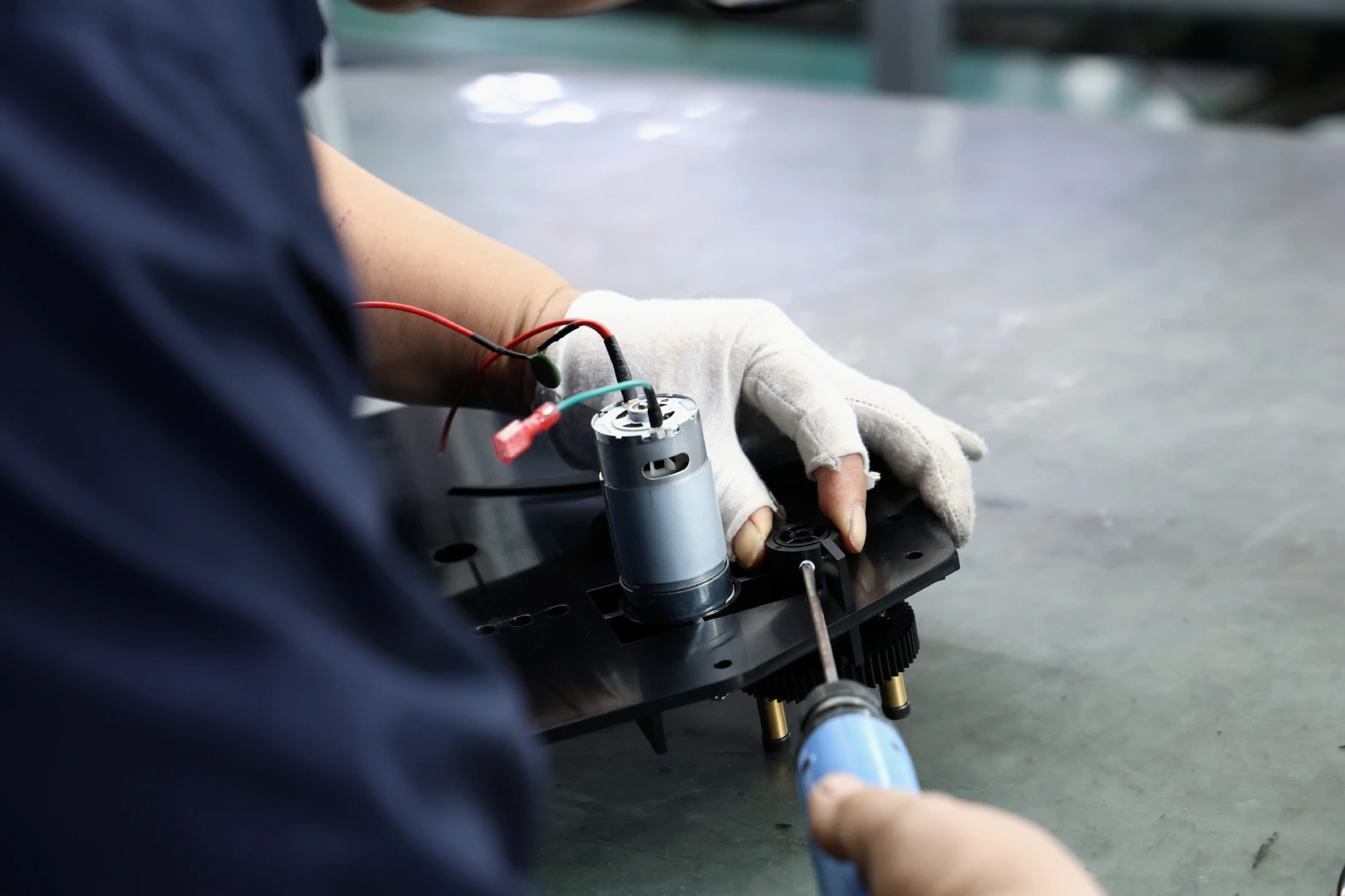
And then some levels on the MBOM are phantom BOMs, meaning they only exist on paper but are never actually stocked. These parts are built and consumed at the very next station, so they need to be factored in but won’t actually be part of the final product. (If you’re not sure when to use a phantom BOM vs. stocking a real item, our article on sub-assemblies in manufacturing will help you make that decision.)
Here is the same enclosure as a manufacturing BOM.
| Station | Part / description | Qty | Status vs. EBOM |
|---|---|---|---|
| 10. Fabrication and finish | Enclosure body, 1.5 mm SECC, powder coat RAL 7016 | 1 | As per EBOM |
| Lid, 1.5 mm SECC, powder coat RAL 7016 | 1 | As per EBOM | |
| PCB mounting bracket, 2 mm SPCC, zinc plate clear | 2 | As per EBOM | |
| Masking plugs for threaded holes, powder coat | 6 | Added by manufacturer | |
| Protective film, PE, lid exterior | 1 | Added by manufacturer | |
| 20. Bracket and PCBA installation | Control PCBA | 1 | As per EBOM |
| Screw, M4 x 10 socket head cap, ISO 4762, A2 | 4 | Moved and split by station | |
| Thread locker, medium strength | 0.2 ml | Added by manufacturer | |
| Cable tie, 100 mm, nylon | 3 | Added by manufacturer | |
| 30. Lid, glands and feet | Lid gasket, EPDM, 3 mm | 1 | As per EBOM |
| Cable gland, M16, IP68 | 2 | As per EBOM | |
| Screw, M4 x 10 socket head cap, ISO 4762, A2 | 8 | Moved and split by station | |
| Rubber foot, adhesive, 12 mm | 4 | As per EBOM | |
| Serial and rating label, polyester | 1 | Added by manufacturer | |
| 40. Test and pack | Foam insert, PE, die cut | 1 | Added by manufacturer |
| Carton, 5-ply corrugated, printed | 1 | Added by manufacturer | |
| Desiccant bag, 10 g | 1 | Added by manufacturer | |
| Pallet, 1200 x 800 mm, shared across 24 units | 1/24 | Added by manufacturer |
Eighteen lines against the EBOM’s eight. Nine were added by the manufacturer and one was split across two stations. Attrition overage would add more on the purchased lines. Illustrative example, not a customer BOM.

| Column | In the EBOM | In the MBOM |
|---|---|---|
| Level | Filled | Filled |
| Item name / process name | Part names | Part names and process steps |
| Reference number (ERP) | Blank | Filled on every line |
| Quantity and unit | Filled | Filled |
| Time | Blank | Processing time per operation |
| Comments | Blank | Mold and welding fixture references (TOO# / JIG#) |
| Required personnel | Blank | Number of people the station needs |
| Last column | Assembly drawing | Packing and palletizing drawings |
Look at the last row. Both lists reference drawings. Both of those drawings carry their own small parts table, with an index, a drawing number, a part name and a quantity. What they show is completely different.
The EBOM’s drawing is an exploded assembly view: the structural parts, the brackets, and every fastener ballooned to its line on the list. Its reader is an engineer checking that the design goes together the way it was meant to.
The MBOM’s drawings are packing drawings. One shows each carton and which sub-item goes inside it, in nesting order, box by box. The other shows the palletized stack with its footprint and height, the corner protection, and where the strapping runs. Its reader is standing at the pack-out bench at the end of the line.

EBOM vs. MBOM: Which Differences Matter at RFQ?
| Attribute | Engineering BOM (EBOM) | Manufacturing BOM (MBOM) |
|---|---|---|
| Purpose | Define the product as designed | Define the product as built |
| Owner | Your design engineering team | The manufacturer (at Komaspec, the project manager) |
| Source system | CAD / EDA / PLM | ERP / MES |
| Structure | Functional (mirrors the CAD tree) | Sequential (mirrors the assembly routing) |
| Quantities | Exact design quantity | Design quantity plus scrap allowance and attrition |
| Includes | Designed parts, materials, drawings | Everything in the EBOM plus fasteners, consumables, labels, packaging, tooling, and fixtures |
| Planning fields | Left blank | ERP number, processing time, tooling and fixture reference, line manning, process SOPs |
| Changes when | The design changes | The design, process, supplier, or facility changes |
| Revision control | ASME Y14.35 or equivalent | Tied to the EBOM revision it was derived from |
Most of the trouble comes from mismatches in revisions. An MBOM will be drafted based on a specific revision of the EBOM, so when you’re on Revision C but getting a quote based on Revision B, the pricing, timeline, and the manufacturer’s preparations could be off. ASME Y14.35 sets out how revisions to drawings and associated documents are identified and recorded. To avoid this, label the BOM (not just the drawings) with a revision letter and state it in the RFQ.
How a Contract Manufacturer Converts Your EBOM into an MBOM
At Komaspec, the project manager is responsible for this task and it starts as soon as the production drawings are complete. The details vary based on the specifics of a project, but it goes something like the following.
First, the engineering team checks every drawing against the EBOM. They’ll flag anything that doesn’t match, like a part that shows up on the drawing but is missing from the list, a specification for “steel” without naming a grade, or a quantity that doesn’t correspond to the model. During this readthrough, the team also drafts their DFM feedback.
Sourcing then goes over every single line. For each one, they’ll decide whether the part gets made in-house or bought. They’ll give every part a supplier, a lead time, and a minimum order quantity. If anything is too expensive or will take a long time to arrive to the manufacturer, the team proposes an alternate that is more affordable or available. For instance, on a commercial sauna heater project, we made sure to localize the switches and electronics before the first production order was sent.
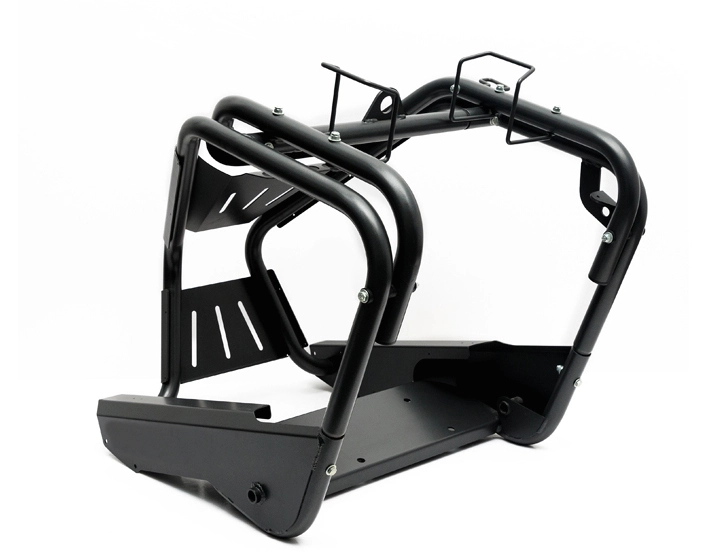
Lines that were not on the EBOM get added next (such as fasteners, labels, packaging, and overages). If your design includes PCBAs, the overage can be substantial. According to Cofactr’s attrition guide, you can expect overage of about 10% of BOM quantity for components, 5 to 10% for ICs, and 100+ extra pieces for 0402 and larger chip passives. According to Northwest Engineering Solutions, a 1-2% loss rate is normal on an SMT line, but anything over 20% should have you auditing the assembler to see what’s going wrong.
Finally, we release the MBOM (tied to the EBOM revision it was based on). We hold designs, drawings, and BOMs under revision control. So if any of those files change on the customer side, it triggers a review on our end – and vice versa. To put it in NPI terms: the EBOM should be stable by design validation and the MBOM should be completely accurate before the pilot run. Otherwise, there might be mismatches between the two that might only be uncovered on the production line.
If you send us an EBOM and your product has fewer than 50 drawings, the MBOM will probably have around 10 to 30 more lines than the one you submitted. If it has more than 50 drawings, it will likely be 30+ extra lines. When all the inputs are complete, it takes about 3 to 7 days to turn an EBOM into an MBOM. But missing details can drag out that timeline, because it means our team will need to wait on answers from the customer.
Those growth figures assume the list came from you. When we build it ourselves in our own template, which is the more common case, both versions carry the same rows from the outset, because the packaging, consumables and process lines were there from the first draft. On a recent electromechanical assembly both versions ran to about 70 rows. The conversion work still happens. It just shows up as fields being populated rather than rows being appended.
What Your Contract Manufacturer Needs in Your BOM
According to our engineers, your product’s design and functional structure, part structure, drawing numbers, materials, and technical specifications are the most important elements to include in your BOM before handing it off to a manufacturer.
Here is a more detailed list, starting with the ones that save the most time.
Part number and design revision. Each part should have one unique number, along with the revision letter for its corresponding drawing. If your BOM is at Rev B but the drawing is at Rev C, it should be stated explicitly.
Detailed description that picks out exact parts. If the BOM just lists “bracket” as an item, the manufacturer won’t know what kind of bracket it is unless they wade through the drawing to find it. Instead, the line should be detailed enough to identify the part (e.g., “bracket, rear mount, 3 mm SPCC, powder coat RAL 9005”).
Part quantity (or unit of measure, where applicable). Include the number of pieces when listing discrete parts. For anything that comes in a mass (instead of a count), specify the measure (e.g., meters of cable, grams of adhesive, milliliters of potting compound). Vagueness about this is a common cause of misquotes, because simply listing the quantity as “1” could mean either one piece or one reel, and both will come back with very different prices.
Material grades and standards. It’s common to see a material listed simply as “aluminum,” but that’s not a complete specification. To be useful, it should include the grade and standard (e.g., “5052-H32 per ASTM B209”). The same goes for plastics, where the line should specify the resin family, grade, color, and UV-stabilized or flame-rated (if applicable).
Surface finishes, complete with process, color, thickness, and (where relevant) standard. For example, “zinc plate, clear, 8 µm” or “powder coat, RAL 7016, 60 to 80 µm.”
Whether the part will be made or bought. Each line should be tagged to indicate whether the part will be fabricated, supplied by the customer, or purchased from a supplier. This determines who is responsible for sourcing it and whether the part needs a drawing of its own.
Manufacturer part number and approved alternates. For each component that will be bought, name the manufacturer it should be purchased from, the exact MPN, and at least one approved alternate (in case the part has a long lead time). Every part that doesn’t have an approved alternate could cause a scheduling risk, because even if a suitable alternative is available, the manufacturer can’t proceed until you’ve given them approval.
Reference designators. On a PCBA, a designator like “R1 to R47” tells the assembler which line goes where. When these are left out, they’re forced to reverse-engineer the pick-and-place program based on the schematic.
Compliance flags. If the product will be sold in the EU, any of its electrical or electronic components will need to comply with RoHS Directive 2011/65/EU (which restricts substances like lead, cadmium, and mercury). Mark any line that needs RoHS, REACH, UL-recognized, or food-contact material declarations so the manufacturer can source parts that meet those requirements.
Lines organized in a parent-child structure. Use indent levels (or a level column) to clearly show which parts will be used for which subassembly. If there’s no hierarchy, the manufacturer will have to construct one by consulting the drawings, which could push back the timeline for a quote.
Drawing and file references. Include the drawing number, the 3D file name, and where the technical specification can be found. For PCBAs, this also means the Gerbers or ODB++, the pick-and-place file, and the assembly drawing. The IPC-2581 (IPC-DPMX) standard, developed by IPC in 2004, packages board and assembly data in a single file, so nothing gets lost when the designs are handed off to the assembler.
A functional description of the product, which is simply a paragraph that explains what the product does and how its subassemblies interact. This might sound pointless since the manufacturer can consult the actual design, but it helps the manufacturer fill in the blanks. Leaving out this paragraph could result in a misquote, even if you’ve provided all the other data.
Six BOM Problems That Stall Quotes
Sending the EBOM with no supporting documentation. We once received a customer EBOM that came without a functional structure, product design, or technical specifications. It was a complete list of materials with no items missing, but there was no indication of how the parts would relate to each other once assembled or the loads the finished product would have to carry. Unsurprisingly, the quote was wrong because the design couldn’t be priced, only the materials could be.
Hardware that shows up on the drawing is not included in the BOM. In some cases, the hardware is included in drawing notes (e.g., “secure with M4 x 10 SHCS”). But those notes don’t get exported into the parts list because they were never actually part of the model. If you’re lucky, the manufacturer will notice this during the drawing review and adjust the BOM accordingly. But in many cases, it will be missed and the cost will show up later down the line.
Quantities listed on the BOM don’t match those used in the model. This usually happens with mirrored parts, which appear two or more times in the model but only get counted once in the BOM. Or it could happen when a quantity-per-assembly gets mistakenly copied into a top-level total. Each individual instance of this is small, but it can become a big deal when it happens across 300 lines.
Mismatched revisions. When the BOM and the drawings disagree about which revision is current, the manufacturer can’t proceed until they know which one wins. Every day they spend waiting for the answer is another day the quote is delayed.
Materials are named without specifying a grade. 304 and 316 are both stainless steel, but they don’t cost the same. If you don’t specify which one, the manufacturer could default to 304 and later have to adjust pricing when they find out your product needs the corrosion resistance of 316. Whatever the material, the interpretation you get quoted is the cheapest one that still satisfies the drawing.
Sending drawings with no BOM. Most of the quotes we issue are based on drawings that were uploaded with no BOM at all. When that happens, we’ll build the list on our end, but it delays the quote by 3 to 7 days. So if you need a project priced quickly, send the BOM from the start.
Consigned vs. Turnkey: How the Sourcing Model Changes the BOM
With turnkey, the manufacturer will be responsible for purchasing everything listed on the BOM. So obviously, the BOM has to be complete for them to source everything properly.
Under consignment, you’re the one who buys the parts and then ships them to the manufacturer in a kit. That means the BOM has to be complete enough to build from, and you need to factor in the overage.
With a partial turnkey arrangement, the sourcing is split. You will supply the lines where you have franchise pricing or pre-programmed devices, and the manufacturer will buy the rest. In this case, the BOM will need an extra column that stipulates who is responsible for supplying the listed material. Fill that column at the RFQ stage so the manufacturer knows exactly which lines to price and which ones to skip.
For a more detailed breakdown of these arrangements, check out our guide to what turnkey PCB assembly actually includes.
Komaspec quotes projects at the assembly level, working from a BOM that covers everything as a single structure, from cable assemblies and PCBAs to enclosure and packaging. One electromechanical product we build has a BOM that exceeds 300 lines, covering extrusion, cabling, sheet metal, injection molding, electronics, and assembly. At that size, including a column for sourcing model and one for parent subassembly could be the difference between getting a quote back in a week and having to wait a month.
Send your EBOM, drawings and 3D files to Komaspec’s engineering team. You’ll get a quote with DFM feedback attached, along with a list of every line we had to add or ask about, so the next BOM you send is faster to quote. Request a quote.
Frequently Asked Questions
What does EBOM stand for?
Engineering Bill of Materials. This is the list of parts that gets generated during the product design phase. It’s usually exported directly from the CAD or EDA software used to draft the design. It follows the logical structure of the product’s design and lists each part, along with its quantity, material, and drawing reference. The design engineering team is responsible for the EBOM and manages changes to it through engineering change orders.
What does MBOM stand for?
Manufacturing Bill of Materials. This is the list of parts that the manufacturer follows when building the product. It is based on the EBOM but the lines are reorganized to represent the assembly sequence. It is generally longer than the EBOM because it adds items that are used in production but don’t become part of the final product, like fasteners, packaging, and process consumables. The manufacturer is responsible for the MBOM and it is tied to a specific revision of the EBOM.
Can one BOM be both the EBOM and the MBOM?
Yes, as long as you’re building a simple product with only a few parts. But not if you’re building a product with purchased components, PCBAs, or multiple work centers. These two documents serve different purposes and are modified for different reasons, so both are needed for most projects.
Who owns the MBOM when you use a contract manufacturer?
The contract manufacturer owns and maintains the MBOM, because it reflects their routing, their suppliers, and their facility. At Komaspec, one of our project managers will be responsible for converting the customer’s EBOM to an MBOM. In any case, both parties should agree in writing which EBOM revision will be used to create the MBOM.
Does a contract manufacturer need CAD files or just the BOM?
Both, along with the 2D drawings. If you only supply a BOM, you won’t get an accurate quote. That’s because the BOM lists the parts and their quantities, but the tolerances and finishes are only specified in the drawings (and the 3D model fleshes out anything that’s ambiguous in the drawings).
How often should you resend the BOM to your manufacturer?
Every time the EBOM revision changes, and before any change is released to production. If you send a BOM at RFQ but don’t send revisions after updating it, you’re bound to run into revision mismatch at first article inspection. Agree on a process for notifying your manufacturer of changes, and make sure to include the revision letter in every purchase order to avoid any confusion.